Three screens, one tap each.
The queue for your staff, the counter screen for your customers, and the page on their phone. Here’s what each one does, and what happens when something goes wrong.
The queue
Staff, on a tablet at the counter or the pass
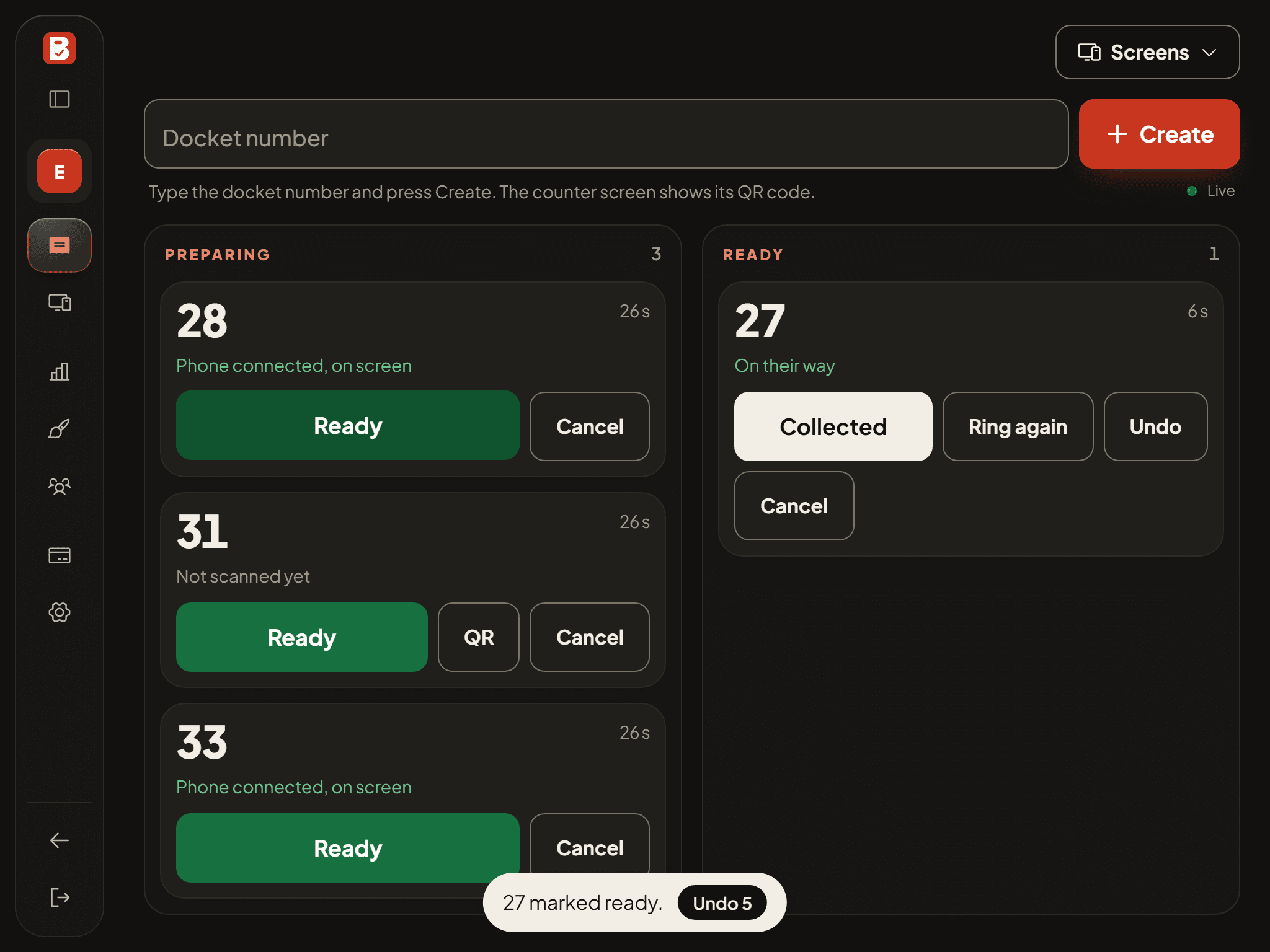
- Type the docket number from your POS receipt on your phone or tablet's own number keys, and press Create. Big buttons, made for a busy counter.
- Two columns: Preparing and Ready. Each card says whether the customer's phone is connected, locked, or has gone quiet.
- Ready has a ten-second undo. Ring again if they haven't come. Collected clears it. Cancel asks first.
- A ready order nobody has seen for two minutes turns amber: call it out, the old way.
The counter screen
Customers, on an old tablet or phone in a stand
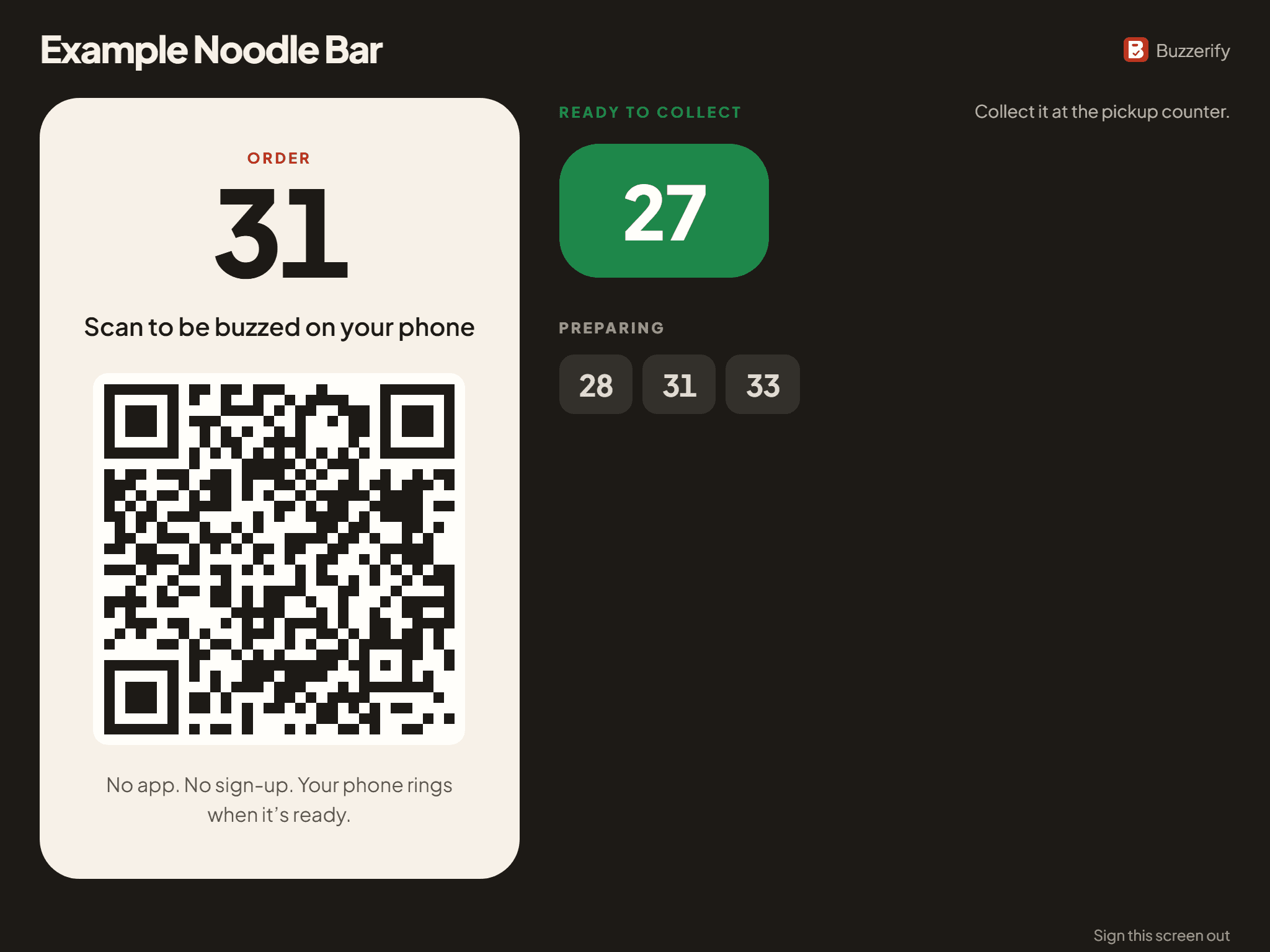
- Pair it once with a six-digit code. No login, nothing to maintain.
- When you create an order it shows that order's QR code, until the customer's phone opens it. Then it goes back to the board.
- The board shows ready numbers in big green tiles, and what's still in the kitchen.
- No spare screen? Print the poster instead. Customers scan it and take a number, then tell you the number when they order.
Their phone
The customer, on their own phone
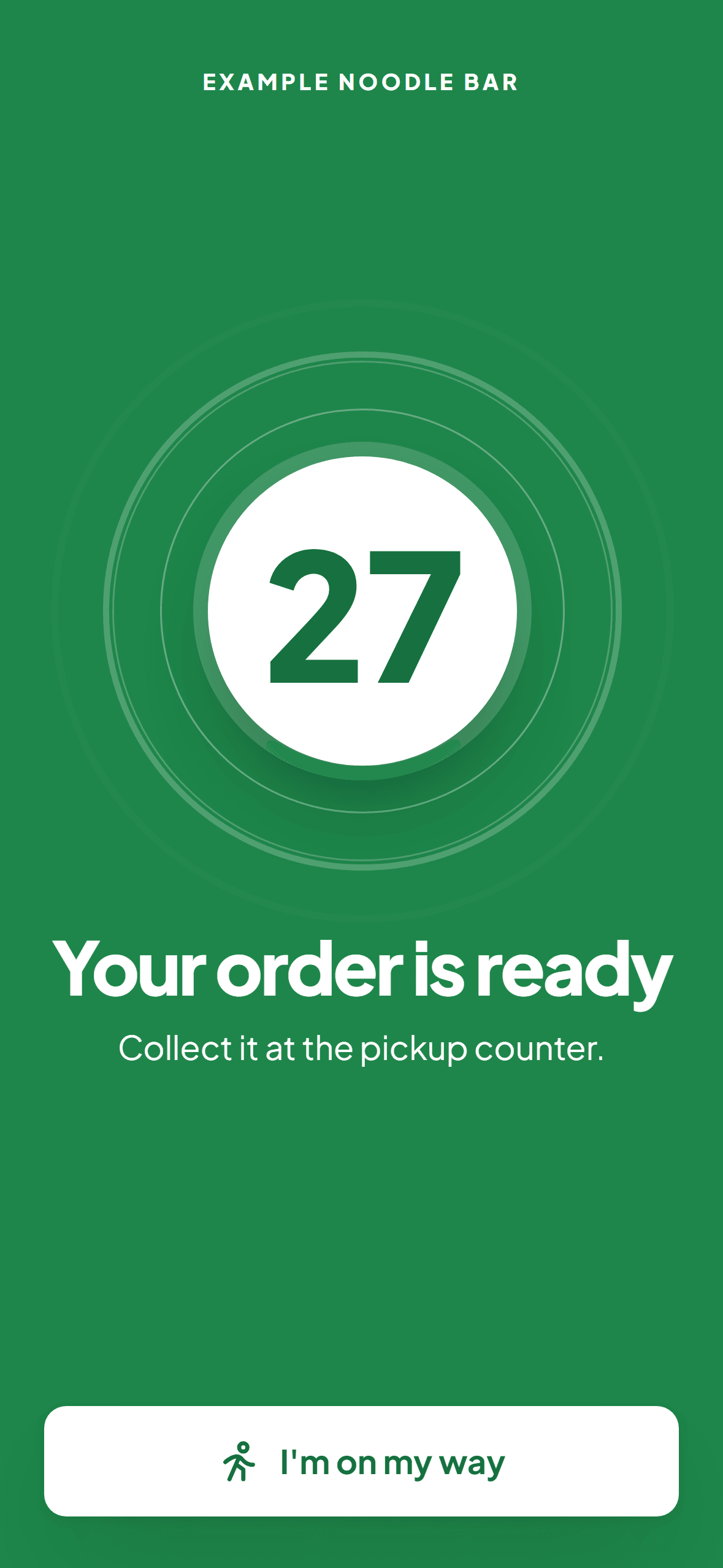
- The page shows their order number and switches the buzzer on by itself where the phone allows. Where it doesn't (most iPhones), one tap anywhere on the page does it. Then they can lock the phone.
- The lock screen shows the order number while they wait, through the phone's own media controls.
- When you tap Ready, it rings. The screen turns green with the number and where to collect. 'I'm on my way' stops the ring.
- If another app or a call takes the page's sound, the queue shows it, so your staff can call the number out.
Built for the lunch rush, not the demo.
- Two customers, one number
- Each order's code leaves the counter screen the moment a phone opens it. At pickup you check the docket, as you do now.
- Someone scans the wrong code
- The page reveals only a number and a status. If a phone connects that shouldn't have, the queue shows it, and a tap gives the order a fresh code.
- Ready by mistake
- Undo within ten seconds. If an alert already went out, the phone gets a correction.
- The customer walks off
- The order closes itself after thirty minutes (you choose how long). Their push subscription and any mobile number go with it.
- Patchy signal in the basement
- The phone catches up the moment it has signal, and the ring waits for it. Check the signal where people sit before you rely on it.
- A rush of orders
- Typing a number that's already waiting asks whether to replace it. Nothing else to think about.
See it on your own counter.
14 days free with the tablet you already have. If it doesn’t earn its place, there’s nothing to return.